2024. 3. 16. 20:45ㆍ웹 크롤링
파이썬을 이용해 웹사이트의 정보를 크롤링 해오려면
Beautiful Soup 4 라는 라이브러리를 사용해야 한다.
bs4 라는 명칭으로 사용되는 이 라이브러리는,
웹사이트의 html이나 css같은 정보를
모두 끌어모아 주는 역할을 해준다.
pip install requests beautifulsoup4
우선, 오늘의 날씨를 크롤링 해오는 소스코드 이다.
이는 네이버에 '서울 날씨', '대구 날씨', '부산 날씨' 를 검색하면 나오는 정보를
크롤링 해오는 것이다.
우선 내가 크롤링 하고 싶은 부분의 html 값을 찾아내야 한다
이 사이트에서 F12를 누른다.
그럼 "개발자 도구" 가 열릴 것이다.
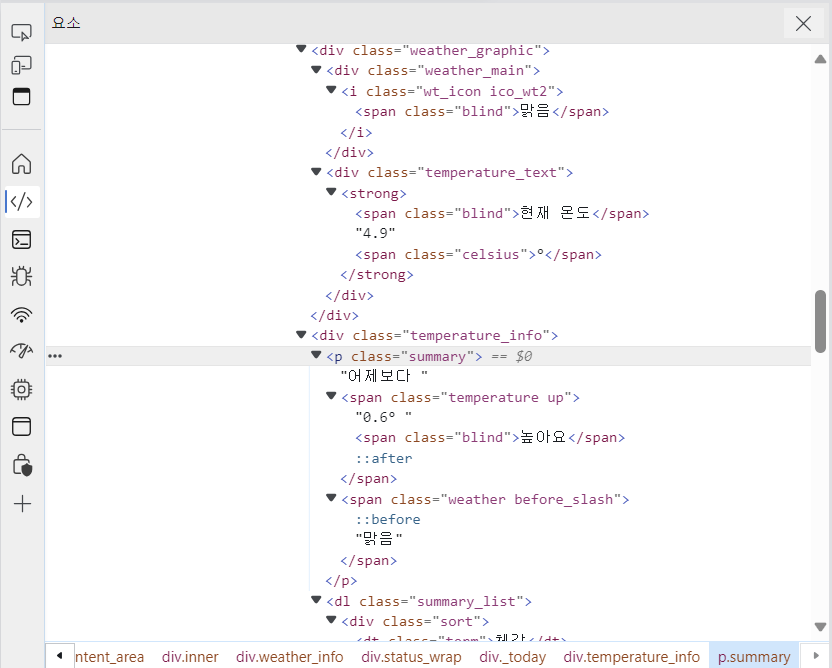
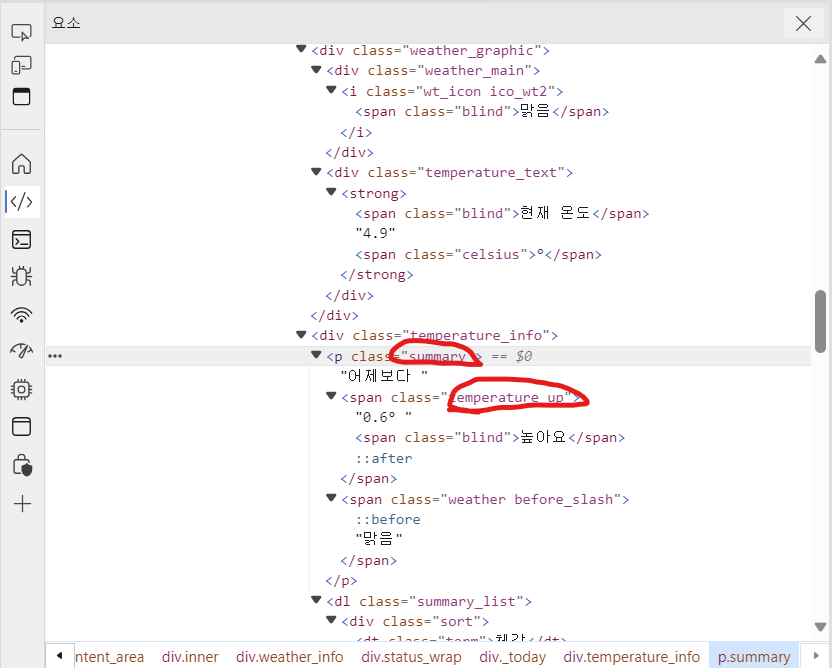
보면 class="summary" 라는 것이 보인다.
이 클래스 값을 이용해 크롤링 하는 것이다.
webpage 라는 변수에, urllib.request.urlopen("크롤링 하고자 하는 링크") 를 통해서 웹페이지를 정보를 저장해주자.
그리고 우리가 처음에 설치했던 bs4를 사용할 시간이다.
soup라는 변수에 BeautifulSoup(webpage, 'html.parser') 를 이용해서,
webpage 변수에 담아둔 html 정보를 크롤링 해온다.
그러면 이제 soup 변수에는 웹사이트의 html 코드가 온전히 담겨있다.
temps = soup.find('span', "todaytemp")
이부분이 제일 중요하고 핵심이다.
이제 temps 라는 변수에, soup에 담긴 html 코드 중
<span> 태그의 'todaytemp' 클래스를 찾아서 담아주는 것이다.
밑의 cast 변수에는
<p> 태그의 'cast_txt' 클래스를 찾아 담아준다.
그리고 print를 이용해서
찾아낸 모든 값을 구현한다
# 오늘의 날씨
print('  ○>> #오늘의 #날씨 #요약 \n')
webpage = urllib.request.urlopen('https://search.naver.com/search.naver?sm=top_hty&fbm=0&ie=utf8&query=%EC%84%9C%EC%9A%B8%EB%82%A0%EC%94%A8')
soup = BeautifulSoup(webpage, 'html.parser')
temps = soup.find('span',"temperature up")
cast = soup.find('p',"summary")
print('--> 서울 날씨 : ' , temps.get_text() , '° ' , cast.get_text())

webpage = urllib.request.urlopen('https://search.naver.com/search.naver?sm=top_hty&fbm=0&ie=utf8&query=%EB%8C%80%EA%B5%AC+%EB%82%A0%EC%94%A8')
soup = BeautifulSoup(webpage, 'html.parser')
temps = soup.find('span',"temperature up")
cast = soup.find('p',"summary")
print('--> 대구 날씨 : ' , temps.get_text() , '℃' , cast.get_text())

webpage = urllib.request.urlopen('https://search.naver.com/search.naver?sm=tab_hty.top&where=nexearch&query=%EB%B6%80%EC%82%B0+%EB%82%A0%EC%94%A8&oquery=%EB%8C%80%EA%B5%AC+%EB%82%A0%EC%94%A8&tqi=UrZy%2Bsp0YidssAyki54ssssssKC-251380')
soup = BeautifulSoup(webpage, 'html.parser')
temps = soup.find('span',"temperature up")
cast = soup.find('p',"summary")
print('--> 부산 날씨 : ' , temps.get_text() , '℃' , cast.get_text())
print('\n')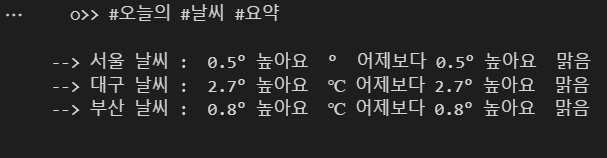
이번에는 오늘의 뉴스리스트를 크롤링해보겠다.

이 개발자 모드에서 크롤링 해올 클래스를 뽑는다.
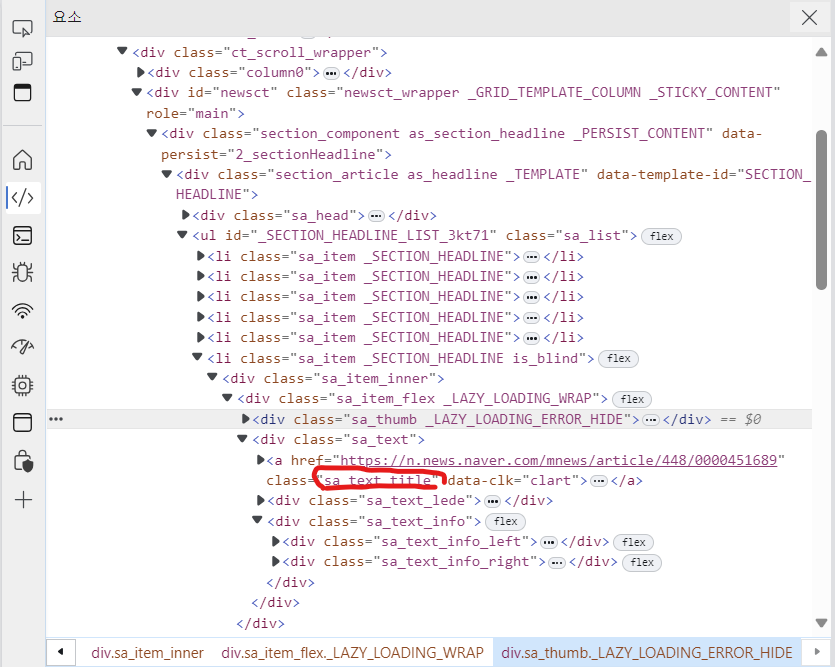
빨간색 동그라미 친 부분을 통해 뉴스의 타이틀을 가져올수있다.
import requests
from bs4 import BeautifulSoup

print('  ○>> #오늘의 #뉴스 #요약 \n')

# 웹사이트 URL 설정
url = 'https://news.naver.com/section/104'

# HTTP 요청을 통해 웹페이지 가져오기
response = requests.get(url)

# 웹페이지의 HTML 파싱
soup = BeautifulSoup(response.text, 'html.parser')

# 'sa_text_title' 클래스를 가진 요소들 찾기
titles = soup.select('.sa_text_title')

# 찾은 요소들의 텍스트 추출 및 출력
for title in titles:
    print(title.text.strip())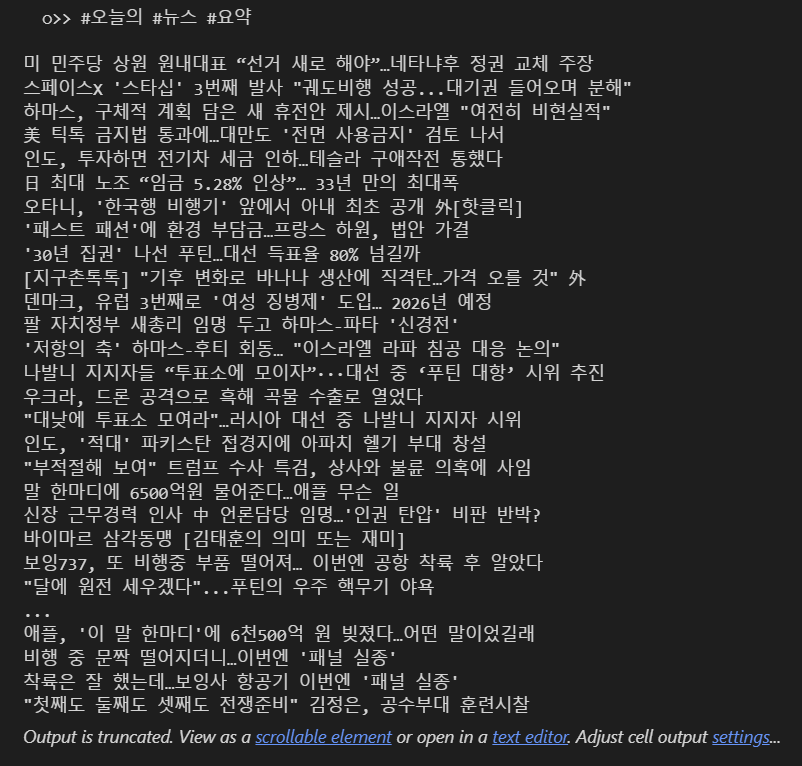
마지막으로는 음원차트 TOP10을 크롤링 해오는것이다.
웹페이지는 네이버 음원차트를 검색하였다.
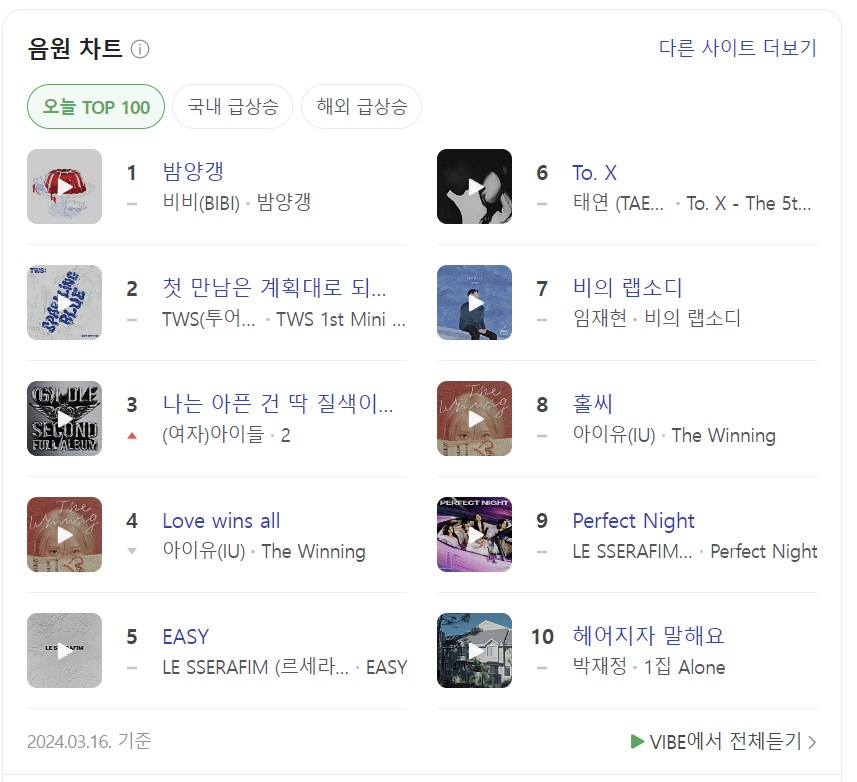
이 웹페이지에서 F12 를 눌러 개발자 모드를 연다.

빨간색 동그라미 친 부분을 이용하여 크롤링을 진행하면 된다.
# 오늘의 음원 TOP10

import requests
from bs4 import BeautifulSoup

# 웹사이트 URL 설정
url = 'https://search.naver.com/search.naver?where=nexearch&sm=top_hty&fbm=0&ie=utf8&query=%EC%9D%8C%EC%9B%90%EC%B0%A8%ED%8A%B8'

# HTTP 요청을 통해 웹페이지 가져오기
response = requests.get(url)

# 웹페이지의 HTML 파싱
soup = BeautifulSoup(response.text, 'html.parser')

# 'sa_text_title' 클래스를 가진 요소들 찾기
topten_titles = soup.find_all(class_='title')

# 추출할 텍스트가 있는 최대 인덱스 설정
max_index = 10

# 찾은 요소들의 텍스트 추출 및 출력
for index, title in enumerate(topten_titles):
    if index < max_index:
        title_text = title.find('span').text if title.find('span') else title.text
        print(title_text.strip())
    else:
        break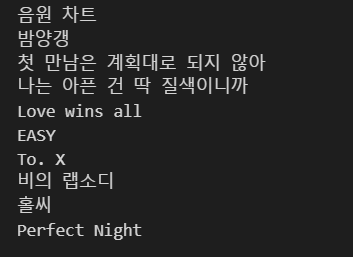
웹크롤링은 이런식으로 내가 가져오고자 하는 정보의 class 부분을
개발자 모드에서 찾아서 코드에 입력시키면 된다.
'웹 크롤링' 카테고리의 다른 글
| 웹 크롤링 (무신사 브랜드 가격 비교) (1) | 2024.03.17 |
|---|